AI solutions for Priority ERP —
agents, OCR and automation built for your business

BiAiVision's AI agents connect to Priority ERP over the MCP protocol: they pull data, check order sync and propose actions. Invoices, purchase orders and delivery notes that arrive by email are read with OCR and taken all the way to ERP export. And every write action stops for your approval.

Connecting Priority ERP to AI means AI agents work directly with Priority's data — customers, orders, parts and invoices — over the MCP protocol. You can ask questions in Hebrew and get answers from the data, scan invoices, purchase orders and delivery notes and prepare them for ERP export, and check that orders are in sync. Priority stays the system of record; every write action stops for human approval, and the admin defines which tools are allowed.

Example questions in Hebrew

What the agent does on its own and what needs approval

ActionTypeApproval
Pulling data and questions in HebrewReadNot required
Summaries, reports and comparisonsReadNot required
Order-sync checkReadNot required
Creating a draft document (order, invoice, delivery note) from an OCR scanPreparationApproval before ERP export
Updating a record in PriorityWriteAlways human approval
Enabling new tools for the agentConfigurationAdmin only

A shared language between the AI agent and Priority

MCP is a protocol through which AI agents connect to other systems and use their tools. Instead of exporting files and copying data, the agent talks to Priority directly, only through the tools the admin has approved.

Ask in HebrewNova or one of the agents, typed or by voice
←
The agent calls over MCPOnly to tools the admin approved
←
Priority ERPReads directly; writes only after your approval

One AI that works across Priority and the rest of your systems

Questions in Hebrew, answers from the data

Ask in plain Hebrew, and Nova pulls the data, summarises and proposes an action: at-risk customers, sales by domain, open orders, team performance. She also creates tasks and opens screens.

Sales budget & forecast on top of Priority data →

Order-sync check

Priority ERP is connected, including an order-sync check. The AI agent finds gaps against Priority and lists them as awaiting your approval, instead of someone hunting for them by hand.

OCR for invoices, purchase orders, delivery notes, receipts and other operational documents — through to ERP export

Invoices, purchase orders, delivery notes, receipts and other operational documents arrive as PDFs, images or email bodies. The system reads the document, identifies the customer or supplier by tax ID, email or name, maps each line to the right catalogue item and creates a draft with the original attached — through to ERP export.

OCR for every document type →

Permissions and human approval for every write

The admin decides which tools the agents may use, and which count as writes that need approval. Each agent sees only what its user may see, every step is logged, and keys are stored on the server and never shown on screen.

More systems in one click

Beyond Priority, agents connect in one click to monday.com, Notion, Atlassian, Stripe and more, under the same permission-and-approval model.

Start with a pilot

One focused process, on your data. At the end there is a working system, not a document, measured against today's baseline to show the saving. 1-2 weeks.
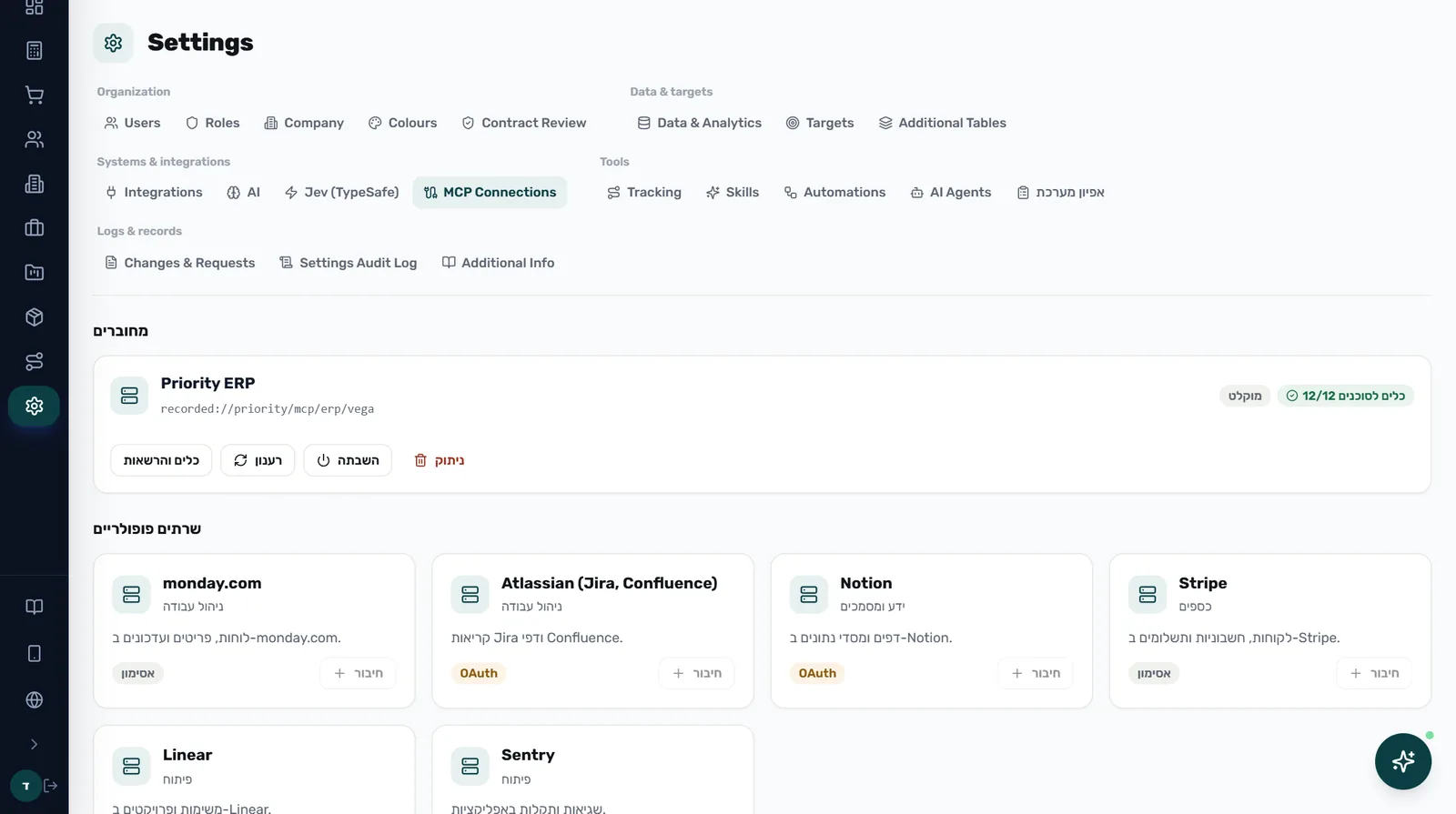
MCP
MCP connections settings with Priority ERP connected

MCP connections: Priority connected, more systems in one click
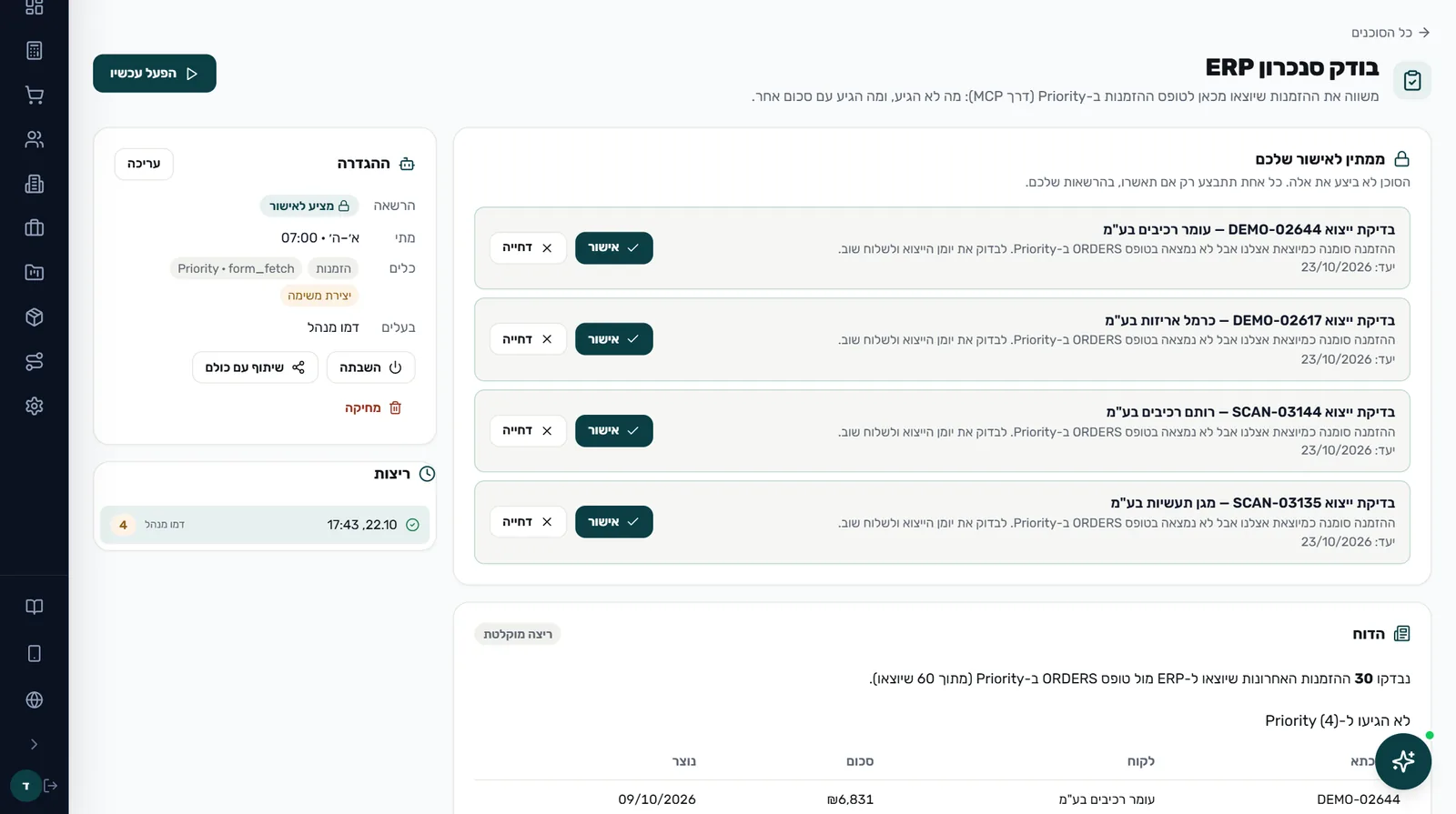
AI Agents
An AI agent's findings waiting for approval

AI agents: awaiting your approval — gaps the agent found against Priority

Implementing Priority?

For ERP implementers and integrators we also have the Characterizer — an AI tool that interviews process owners, reads real documents and builds a structured spec with an effort estimate.

What people ask us

What is MCP?

A protocol through which AI agents connect to other systems and use their tools. Instead of exporting files and copying data, the agent talks to Priority directly, only through the tools the admin has approved.

Can the agent change data in Priority without approval?

No. The admin decides which tools the agents may use and what counts as a write, and every change waits for your approval before it happens. Each agent sees only what its user may see, and every step is logged.

Where are the access keys kept?

On the server only. They are never shown on screen and never reach the browser.

How does an emailed purchase order reach Priority?

The system reads the order from a PDF, an image or the email body, identifies the customer by tax ID, email or name, maps each line to the right catalogue item and creates a draft order with the original attached — through to ERP export.

How do we start?

With a pilot: one focused process, on your data, with a working system at the end and a measurement against today's baseline. 1-2 weeks.

What is the difference between AI solutions for Priority and the Priority AI assistant?

The Priority AI assistant is a ready-made tool for questions about your data, with an open-source MCP connector you can start with right away. AI solutions for Priority are a custom project: agents, OCR and automations built on your business's processes.

Do we need to replace Priority or change anything in it?

No. The system connects to your existing Priority and works alongside it. Priority stays the system of record.

One AI working against Priority — you just approve

Enter the live demo and see the MCP connection, the agents and order scanning at work. Or leave your details and we'll come back within 24 hours with a pilot proposal.